


Your Guide to Norfolk Fire Service Live Incident Updates

Keeping tabs on Norfolk Fire Service live incidents is surprisingly simple, and it's one of the smartest things you can do as a resident or a visitor. Their official channels give you a real-time window into what's happening on the ground—from road collisions to building fires—helping you steer clear of trouble and navigate the area safely. Think of this guide as your inside track to accessing and making sense of these vital updates.
Why Bother Tracking Live Fire Incidents?
When you’re settling into a new place, even for a short stay in one of our furnished apartments, a bit of local awareness goes a long way toward peace of mind. Following the Norfolk Fire Service live feed isn't about being an alarmist; it’s about giving yourself the power to make smart, informed decisions while you're here.
Stay Ahead of Disruptions
This isn't just about major emergencies. The information is incredibly practical for day-to-day life. For instance, getting an alert about a traffic collision on a main road means you can reroute your journey instantly, avoiding a long delay. This is a game-changer for business travellers on a tight schedule or guests trying to squeeze every last drop out of their trip. A quick check of the feed can mean the difference between a frustrating traffic jam and a smooth, drama-free day.
It's a proactive approach that lets you get on with your plans, whether that’s making it to a crucial meeting or discovering all the fantastic things to do in Norfolk.
Understand Your Surroundings
Following live updates also gives you valuable context for what’s going on around you. Ever heard sirens and wondered what was happening? Seeing an incident report for a specific street explains why an area might be cordoned off or why emergency services are present. That knowledge instantly turns a moment of uncertainty into an understood, professionally managed situation. For anyone staying in temporary accommodation, this awareness is a simple but powerful safety tool.
Having access to live incident information isn't just for emergencies. It's a practical tool for everyday navigation and awareness that helps you feel safer and more secure in any environment.
Here’s a quick rundown of the benefits:
Enhanced personal safety: You can actively avoid areas where an incident is unfolding.
Smarter travel planning: Real-time alerts on road closures save you time and headaches.
Greater peace of mind: Knowing the what, where, and when of a situation reduces needless anxiety.
Ultimately, this kind of information helps ensure your stay is as seamless as possible, letting you relax in the knowledge that you're well-prepared for whatever the day brings.
Finding Official Norfolk Fire Service Live Updates
When an incident is unfolding nearby, the last thing you want is rumour and speculation. Getting clear, accurate information is key, and that means going straight to the source. The best way to follow the Norfolk Fire Service live is by tapping into their official channels, which give you verified details direct from the control room.
The Two Best Places for Real-Time Information
So, where should you look first? You have two fantastic, reliable options that serve slightly different purposes.
The official Norfolk Fire and Rescue Service (NFRS) website is your go-to for a comprehensive, real-time log of every incident.
Their official X (formerly Twitter) account is perfect for major incident alerts, road closures, and immediate public safety advice.
Let's break down how to use each one effectively.
Official Norfolk Fire Service Live Update Channels
To help you decide which channel to check first, here’s a quick comparison of what each one offers. They are both excellent resources, but knowing which one to use for a specific need can save you valuable time.
Channel | Type of Information | Best Use For | Update Frequency |
|---|---|---|---|
NFRS Website Feed | A detailed, chronological log of all incidents, including time, location, and a brief description. | Getting a complete overview of all current operations across Norfolk or checking on a specific local incident. | Typically every 10 minutes or as incidents are logged. |
NFRS on X/Twitter | Urgent alerts, photos/videos from major incidents, public safety messages (e.g., "avoid the area"), and road closure news. | Quick, on-the-go updates for significant events that might impact your travel or safety. | As needed, especially during large-scale incidents. |
Ultimately, using both in tandem gives you the most complete picture. The website gives you the raw data, while social media provides the context and urgent advice for bigger situations.
How to Navigate the Official NFRS Website
The NFRS website is your most dependable source for a full incident list. The feed presents a simple log of events, showing the time, location, and a short summary of each call-out. You’ll see everything from road traffic collisions on the A149 to crews assisting police in Norwich city centre.
A typical entry might state that "appliances from Carrow and Sprowston attended a commercial building fire" and will eventually be updated with a "stop message," which is your signal that the incident is under control. It's a brilliant tool for understanding the scale and nature of something happening near you.
The official live feed is more than just a list of fires. It’s a transparent look into the service's incredibly diverse workload, offering a clear picture of how they keep our community safe 24/7. This insight is exactly what you need to make smarter decisions about your own safety and travel plans.
Using Social Media for On-the-Go Alerts
For those who are out and about, following the official NFRS account on X is a really smart move. They use social media to push out urgent alerts and broader public safety messages much more dynamically than a static web page.
Here’s how to get the most out of it:
Turn on Notifications: This is the most important step. Activating push notifications for the NFRS account means you’ll see critical updates the moment they are posted.
Follow Key Hashtags: During a known incident, searching for terms like #NorfolkFire or #Norwich can help you cut through the noise and find official posts quickly.
Look for Official Advice: During larger events, NFRS will use social media to issue specific instructions, like advising residents to keep windows closed or to avoid a particular area.
This simple flow shows how staying informed directly leads to better, safer decisions.
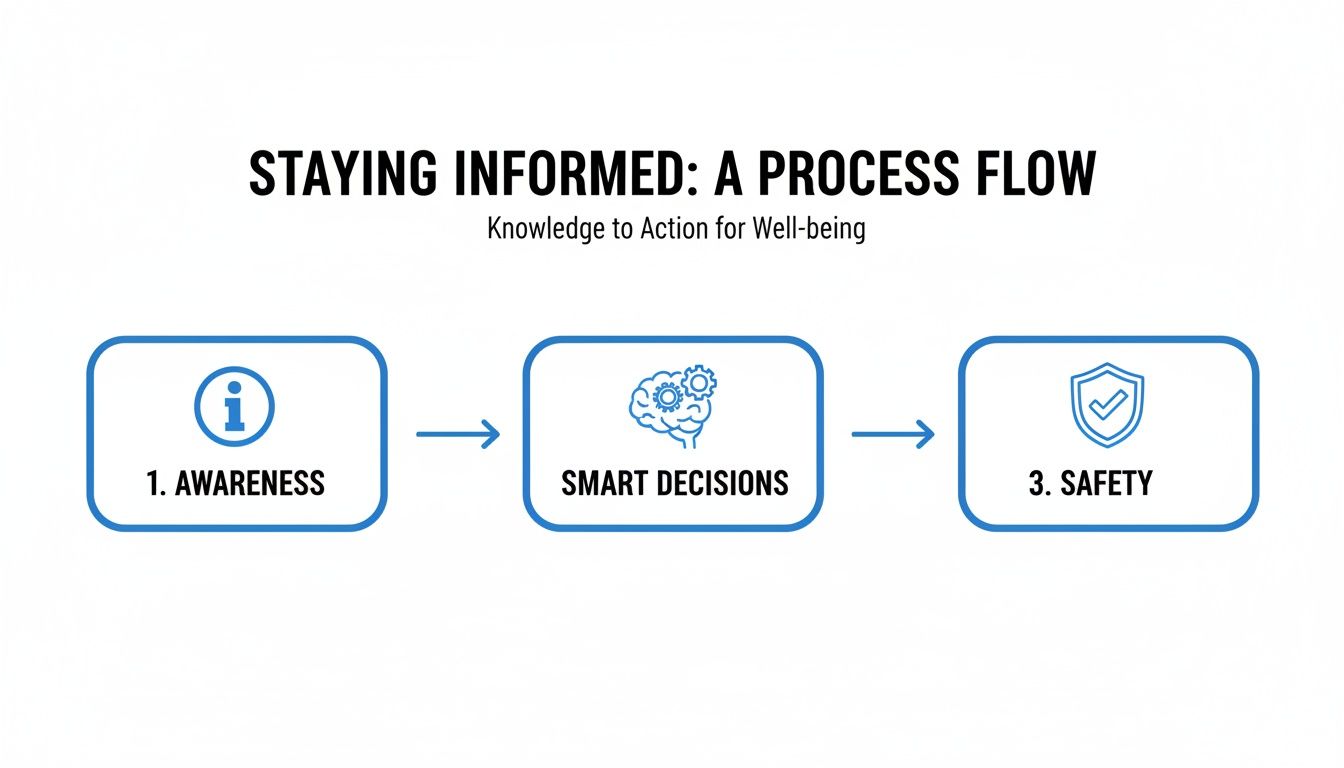
As the visual shows, being aware through official channels is the first step toward making choices that enhance your personal safety. For our guests and local residents, adding these reliable sources to your toolkit is a simple but highly effective safety measure. You can also find other helpful resources on our Stay Norwich Apartments link directory, which we've put together to help make your time here as smooth as possible.
Understanding What Norfolk Fire and Rescue Responds To
When you first check the Norfolk Fire Service live feed, you might be surprised by the sheer variety of incidents. It's a common misconception that firefighters just fight fires. The reality is that tackling a blaze is just one part of their incredibly diverse role here in Norfolk.
Understanding what the crews are actually up to helps you make sense of the live feed and really appreciate the skill they bring to every single call-out. Far from just being about fires, the Norfolk Fire and Rescue Service (NFRS) is a multi-skilled emergency service keeping the county safe.
More Than Just Fires
While building fires and countryside blazes are a core part of their job, a huge chunk of their time is spent on other emergencies. This is especially true in a largely rural county like Norfolk, with its network of busy A-roads and winding country lanes.
Here are some of the most common incident types you'll see popping up on the feed:
Road Traffic Collisions (RTCs): This is a very frequent call-out. Crews are trained and equipped with specialist cutting gear to safely rescue people trapped in vehicles after a crash.
Complex Rescue Operations: This is a broad category covering everything from animal rescues and water rescues on the Broads to helping people stuck in lifts or at height.
Co-Responding with Other Services: NFRS often works hand-in-glove with the police and ambulance services, providing crucial back-up at medical emergencies or tricky public safety incidents.
Responding to False Alarms: A massive number of call-outs are triggered by automatic fire alarms where there's no actual fire.
The Reality of Incident Statistics
The numbers really tell the story of this diverse workload. Take the 2014–15 operational year, for example. NFRS responded to 7,285 incidents.
Of these, 2,143 were fires. But a staggering 2,809 were "special services"—a category dominated by road traffic collisions—and 2,333 were false alarms. It highlights a trend where crashes on the road often outnumber fire-related calls, reflecting the unique challenges of a rural county. You can dig deeper into NFRS operational data on Wikipedia.
Realising that a huge number of live incidents are actually RTCs or false alarms gives you crucial context. It turns raw data into a much clearer picture of what's happening, showing a service that’s constantly adapting to the needs of Norfolk's residents and visitors.
This broader perspective is particularly useful if you're staying in the area. Spotting an incident flagged as an RTC on a major route can help you adjust your travel plans, while seeing a call-out in the city centre might simply be crews assisting paramedics.
This knowledge is key to navigating the beautiful and historic parts of Norwich city with confidence. When you can correctly interpret the live feed, you can make smarter, calmer decisions without any unnecessary worry, ensuring your stay is as smooth as possible.
Getting to Grips with Fire Service Lingo
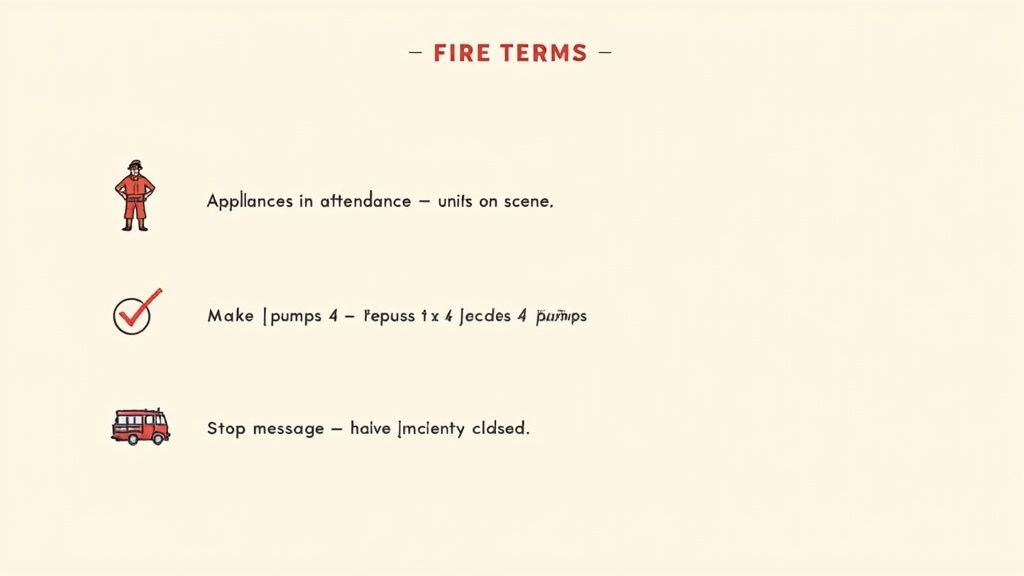
When you're scrolling through the official Norfolk Fire Service live feed, you’ll notice it’s designed for speed and accuracy. This often means it’s packed with operational language that can leave you scratching your head.
Think of it like learning a few key phrases in a new language. Once you know what to look for, a stream of jargon transforms into a clear, unfolding story about what’s happening on the ground. This insight lets you make smarter decisions, whether that’s dodging a road closure on your way out or just satisfying your curiosity.
How Big is the Incident? Look for ‘Appliances’
One of the first things you'll see is the term ‘appliances in attendance’. In the world of fire and rescue, an ‘appliance’ is simply a fire engine. The number of appliances sent to a scene is your quickest clue to how serious the incident might be.
A small bin fire or a single car fire might only need one appliance. But if you see an update like, "Appliances from Thetford, Attleborough, Diss and Downham Market attended a commercial building fire," you know instantly it's a major event drawing resources from all over the county.
Is It Getting Worse? Watch for ‘Make Pumps’
Another critical phrase is ‘make pumps X’. This is a direct command from the officer in charge at the scene, calling for more fire engines (or ‘pumps’). It’s a real-time indicator of escalation.
Imagine an initial alert: "Two appliances from Carrow attending a building fire."
If the situation is more severe than first thought, a new update might follow: "Make pumps 4."
That simple phrase tells you the incident is growing and crews are scaling up their response. It’s the difference between an incident being managed and one that’s still developing.
By understanding just two terms—‘appliances’ and ‘make pumps’—you shift from being a passive reader to an informed observer. You can see the rhythm of the response, not just a list of places.
This kind of insight is invaluable, especially if you're staying in one of our furnished apartments. Knowing a "make pumps 6" incident is happening a few streets away helps you plan your day with confidence. It allows you to have a no-hassle, no-drama stay, giving you peace of mind when you need it, for as long as you need it.
The All-Clear Signal: ‘Stop Message’
Perhaps the most welcome update you can see is the ‘stop message received’. This is the official signal from the incident commander back to the control room, confirming the situation is now under control and no further resources are required.
A stop message doesn't mean the crews have packed up and gone home. They're often still on-site, ‘damping down’ hotspots or ensuring the area is safe. But it does mean the emergency phase is over. For anyone following the Norfolk Fire Service live feed, this is the sign that things are returning to normal.
By familiarising yourself with these key terms, you can read the live updates like an expert, turning official shorthand into practical, useful information. It’s a simple skill that helps you navigate Norfolk safely and confidently, letting you just pay and stay, knowing you’re in the loop.
Practical Fire Safety For Apartment Living
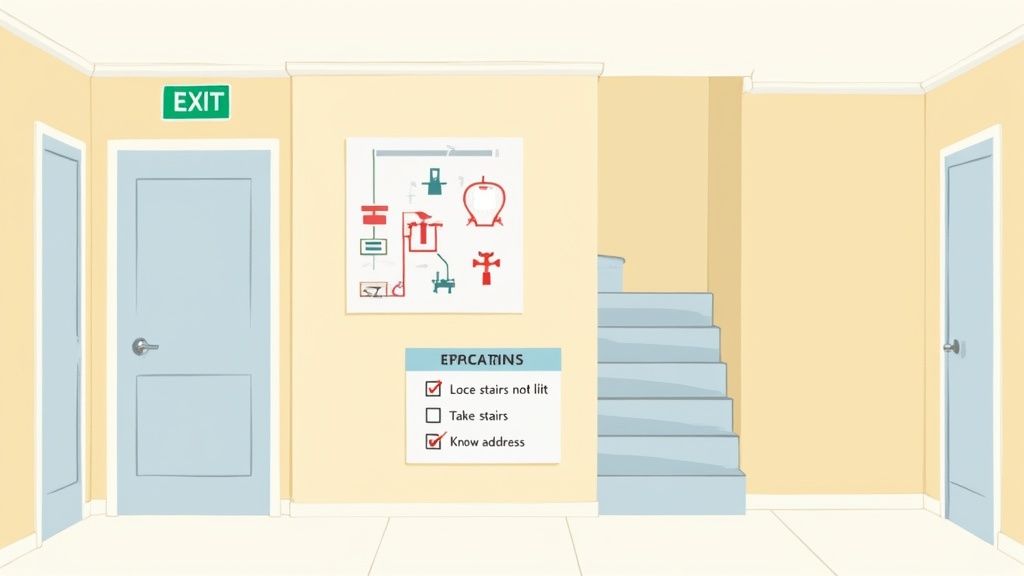
Keeping an eye on the Norfolk Fire Service live feed is a great way to be aware of what's happening around the city. But real peace of mind comes from knowing exactly what to do if an emergency happens right where you're staying.
When you're staying in furnished accommodation, a few simple checks the moment you arrive can make a world of difference. Landlords direct with Stay Norwich Apartments, Norfolk, offer furnished accommodation when you need it, for as long as you need it. It’s all about being prepared so you can get on with relaxing and enjoying Norwich, confident that you’ve covered the basics for a safe and hassle-free stay.
Your First Five-Minute Safety Scan
The moment you step through the door of your apartment, take five minutes to get your bearings. This isn't just about finding the Wi-Fi code; it's about creating a mental safety map.
Find Your Nearest Fire Exit: Don't just assume it's the main door you came in through. Look for the green illuminated signs in the corridor and actually walk the route to the closest emergency exit.
Glance at the Evacuation Plan: Most apartment buildings will have a fire action notice posted, often on the back of your front door or in the main hallway. Give it a quick read to understand the building's specific procedure.
Count the Doors: Here's a brilliant tip I learned years ago: count how many doors there are between your apartment and the nearest stairwell. If a hallway ever fills with smoke and you can't see, that simple memory could be your guide.
These little actions take less than five minutes but are incredibly powerful. This kind of preparation is a huge part of our commitment to guest safety, something we also detail in our straightforward rental agreement.
Dos and Don’ts When an Alarm Sounds
If you hear the fire alarm, your only priority is to get out calmly and safely. Panic is the real enemy here, so knowing the ground rules ahead of time helps keep you focused.
What You Should ALWAYS Do:
Leave immediately. Don't waste precious seconds gathering belongings.
Shut all doors behind you as you go. This simple act helps contain a potential fire and slow its spread.
Take the stairs. You must never, ever use a lift during a fire alarm.
Once you're outside, go to the building's designated assembly point and wait there.
What You Should NEVER Do:
Never assume it's a false alarm or a drill. Always treat every single alarm as a real emergency.
Never go back into the building for any reason until the fire service tells you it's safe.
Never try to open a door that feels hot to the touch.
Your most important job in an emergency is getting yourself and your family outside safely. Everything else can be replaced. The fire service has the training and equipment to deal with the situation; your job is to stay clear and let them do their work.
One final piece of advice: make sure you know your full address. If you ever need to call 999, being able to give the operator the building name, street, and postcode without a moment's hesitation ensures that the Norfolk Fire Service live response crews can get to you as fast as humanly possible.
Frequently Asked Questions
It's natural to have a few questions when you start using live emergency updates. We've put together some straightforward answers to the most common queries we hear about the Norfolk Fire Service live feed, so you can use it with confidence.
How Quickly Are Incidents Posted On The Live Feed?
You'll usually see an incident pop up on the official feed very shortly after a crew is dispatched. The control room's first priority is, of course, handling the emergency call itself. A slight delay of a few minutes while they get the essential work done is completely normal before the details go public.
For bigger, ongoing events, you can expect more frequent updates to appear on both the website and their social media channels as things unfold. The system is built for public awareness, but life-saving operations will always come first.
Will The Live Feed Tell Me If I Need To Evacuate?
No, the live feed itself will not issue a direct evacuation order for your building or street. Think of it as a tool for general awareness—it tells you what’s happening nearby, but it's not a personal alert system.
If an evacuation is necessary, the emergency services on the scene will give you direct, in-person instructions. This usually means police or fire crews going door-to-door or using a public address system to give clear directions.
The live feed empowers you to understand what is happening in your vicinity. It is not a replacement for direct instructions from emergency personnel on the ground during a critical incident.
This is a really important distinction to remember for your own safety. Always, always follow the guidance of the professionals at the scene.
What If I See An Incident That Is Not On The Feed?
If you witness a genuine emergency—like seeing smoke coming from a building or a serious car crash—your first and only action should be to dial 999 immediately. Don't hesitate or waste precious seconds checking the live feed first.
Your call could very well be the first alert the fire service gets about that specific incident. The absolute priority is getting professional help on the way as fast as possible. The feed will catch up later; your quick thinking could save lives.
Is It OK To Go To An Incident I See On The Live Map?
Absolutely not. You must never, under any circumstances, travel to an active emergency scene you see on the Norfolk Fire Service live map. It's incredibly dangerous for everyone involved.
You can get in the way. Obstructing firefighters and other responders from doing their jobs can have serious consequences.
You can cause gridlock. Extra traffic can block incoming fire engines, ambulances, or police vehicles from reaching the scene.
You put yourself at risk. Most importantly, emergency scenes are unpredictable and you could be putting yourself in real, unnecessary danger.
The whole point of the live feed is to help you stay safe by avoiding the area, not to encourage a visit.
For other practical questions about staying in Norwich, you can also explore our own frequently asked questions page for helpful information.
For furnished accommodation when you need it, for as long as you need it, look no further. Stay Norwich Apartments offers a no-hassle, no-drama experience where you can simply pay and stay. Find your perfect Norfolk base at https://www.staynorwichapartments.com.

Comments